
Need the visit and care records together?
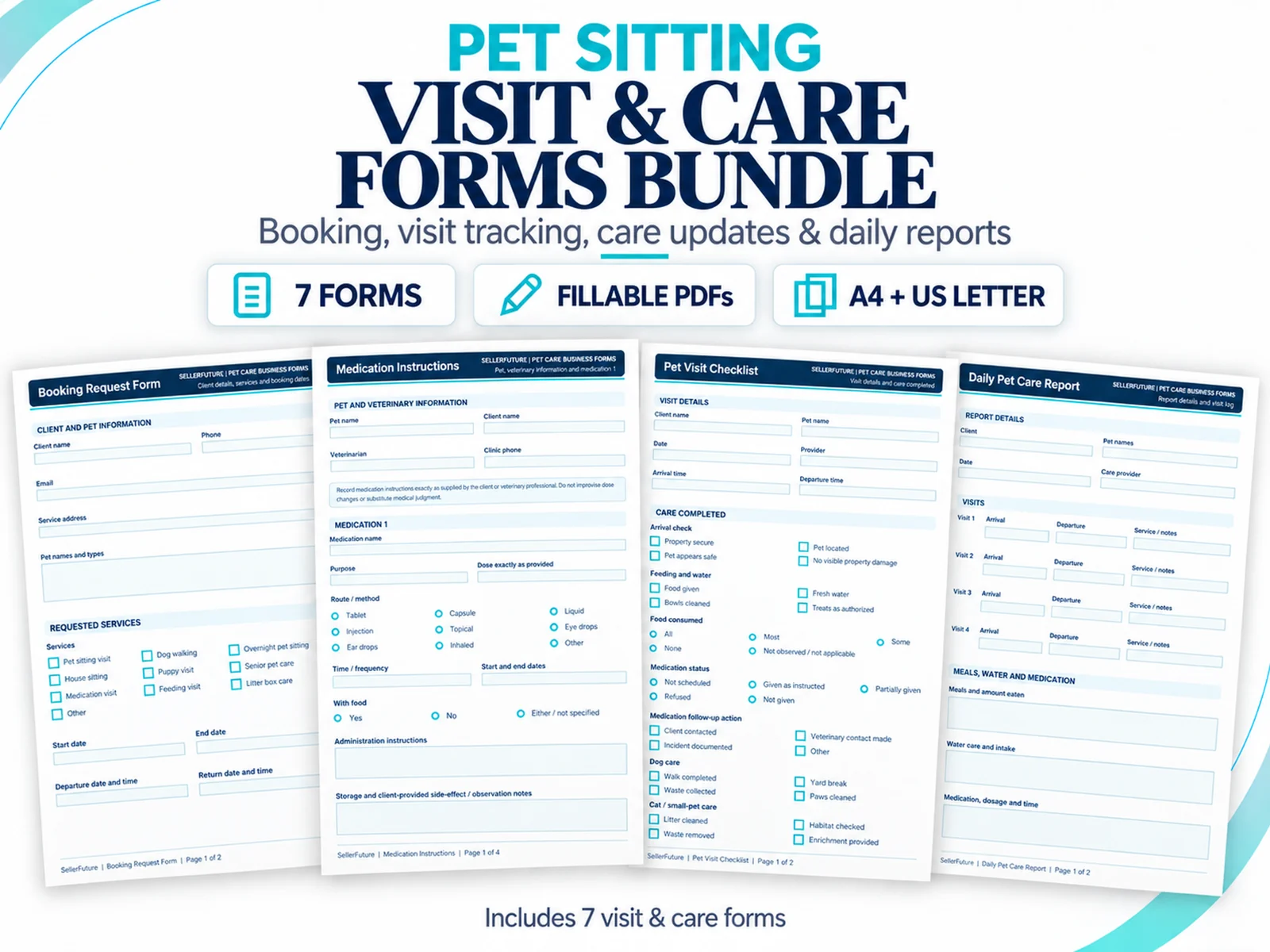
Seven fillable PDFs for pet-sitting bookings, feeding, medication, visit checks, daily care reports, client updates and incident records.
Pet sitting business forms are useful when they reduce ambiguity at a specific point in the client and service workflow. A stack of attractive PDFs is not automatically a business system. The useful question is whether the right information is captured before the first visit, carried into delivery, documented when something changes and retained in a form that the business can actually retrieve later.
Professional-standards context: Pet Sitters International — Global Standards for Professional Pet-Sitting & Dog-Walking Businesses. Use the first-party source to verify current external guidance where it affects a decision.
For a solo pet sitter or dog walker, forms often sit between conversation and execution. They can help turn an inquiry into a client record, a client record into current care instructions, a booking request into a documented service, and a completed visit into a clear update or business record.
1. Start with the job each form must perform
Every form should have a clear operating purpose. Some forms establish standing information, such as client contact details or a pet profile. Others belong to one booking, one visit, one incident or one payment. Mixing those jobs into one oversized document can make updates difficult and increase the chance that old information remains in circulation.
A practical documentation map separates standing client/pet information from booking-specific instructions, service records, policy acknowledgments and administrative logs.
2. Build the client + pet foundation before service
Common foundation records include a client intake form, pet information form, emergency contact details, veterinary-care authorization where appropriate, feeding instructions and medication instructions. The objective is not maximum data collection. It is current information that supports the services the business actually provides.
Health, behavior, access and emergency information may be sensitive. Collect only what the business genuinely needs, store completed records securely and define how updates replace older instructions.
3. Separate booking and visit operations
A booking request documents what the client is asking for. It is not necessarily the same thing as an accepted booking. Home-access instructions, key handover records and dog-walking instructions may be needed only for certain services. A visit checklist documents the operational completion of the visit, while a daily pet-care report or update communicates the result.
Keeping these records separate makes it easier to update one part of the workflow without rewriting everything else.
4. Keep terms, policies and incidents explicit
Administrative service terms and cancellation/rescheduling policies should be adapted to the actual business and jurisdiction before use. A template can structure the questions and acknowledgments, but it is not a substitute for legal review where legal advice is required.
Communication preferences are a different job: they record how the client wants routine updates handled. An incident report is different again: it should preserve facts, actions and follow-up when something unusual occurs rather than burying the event inside a casual message thread.
5. Keep money, travel and scheduling records simple and visible
Manual invoices, receipts, income logs, expense logs, mileage/travel logs and a weekly booking/visit schedule can be useful for a small operator who wants a consistent paper or PDF record. They should not be described as accounting software or automation.
If the business needs linked calculations, dashboards, recurring records or management reporting, a spreadsheet operating system or dedicated software is the more appropriate layer.
6. Build a minimal form set for each workflow
A new client may need client, pet and emergency information first. A routine repeat booking may need only the booking request and any changed instructions. A normal visit may need a checklist and care update, while an incident report should appear only when an incident actually occurs.
This modular approach reduces form fatigue and makes the documentation easier to maintain. The strongest pack is not the one with the most pages; it is the one whose documents have distinct jobs and are used consistently.
7. Use fillable PDFs deliberately
Interactive PDF fields can support on-screen completion while preserving a fixed document layout for printing. PDF behavior can differ across browser and mobile viewers, so operational forms should be downloaded, saved and tested in a current desktop PDF application before the business depends on them.
Keep blank originals untouched, work from named copies, reopen important completed files after saving and test the paper size before batch printing.
8. Know when forms are no longer enough
Forms are excellent for structured documentation. They are not a substitute for connected operational data. If the owner needs client and pet records to drive bookings, payments, follow-ups, dashboards or reporting, move that management layer into a connected spreadsheet or suitable pet-care software.
Turn the decision into a working next step.
Sources used for verification and context
Where a recommendation depends on a current industry standard, platform capability or external business guidance, use the linked first-party source to verify the current position.
This article provides business-management education. Legal, tax, accounting, veterinary, insurance and regulatory requirements vary by jurisdiction and situation; verify current requirements with appropriate sources or qualified professionals.
Continue with
Pet Sitting Client Onboarding Workflow: From Inquiry to First-Booking Ready
A practical pet-sitting onboarding workflow covering qualification, meet-and-greet verification, current records, access and first-booking readiness.
DOG WALKING BUSINESS FORMSDog Walking Business Forms: Intake, Instructions, Visits, Incidents & Admin Records
Dog walking forms framework for client intake, pet information, walking instructions, access, visit records, incidents, invoices and weekly scheduling.
PET SITTING CLIENT INTAKEPet Sitting Client Intake Form: What to Collect + Fillable PDF
Pet sitting client intake form guide plus a fillable A4 + US Letter PDF. Learn what to collect, separate, update and carry into service records.