
Client + Pet Foundation
- Client Intake Form
- Pet Information Form
- Emergency Contact Form
- Veterinary Care Authorization
- Feeding Instructions
- Medication Instructions
PREMIUM DOCUMENTATION COMPANION · LIVE ON ETSY
24 Fillable PDF Business Forms · A4 + US Letter
Create a cleaner documentation workflow for clients, pets, bookings, visits, care instructions, incidents, invoices, logs and weekly scheduling — without building every form from scratch. It complements SellerFuture’s spreadsheet systems; it does not replace them.
24 unique form designs × 2 page sizes = 48 interactive PDF files. Etsy controls checkout and the live marketplace price.

WHAT YOU ACTUALLY RECEIVE
Every form is supplied twice — once in A4 and once in US Letter — so the package contains 48 fillable PDFs without pretending they are 48 different designs.
BUY ONLY THE FORM YOU NEED
Start with the exact document you need for US$4.99 during the current 30% Etsy sale, move to a focused 6–7 form bundle when one workflow needs several records, or choose the 24-form toolkit for the complete documentation layer. Every individual listing includes A4 + US Letter and instant digital delivery through Etsy. Choose one focused form or step up to the complete 24-form documentation system.
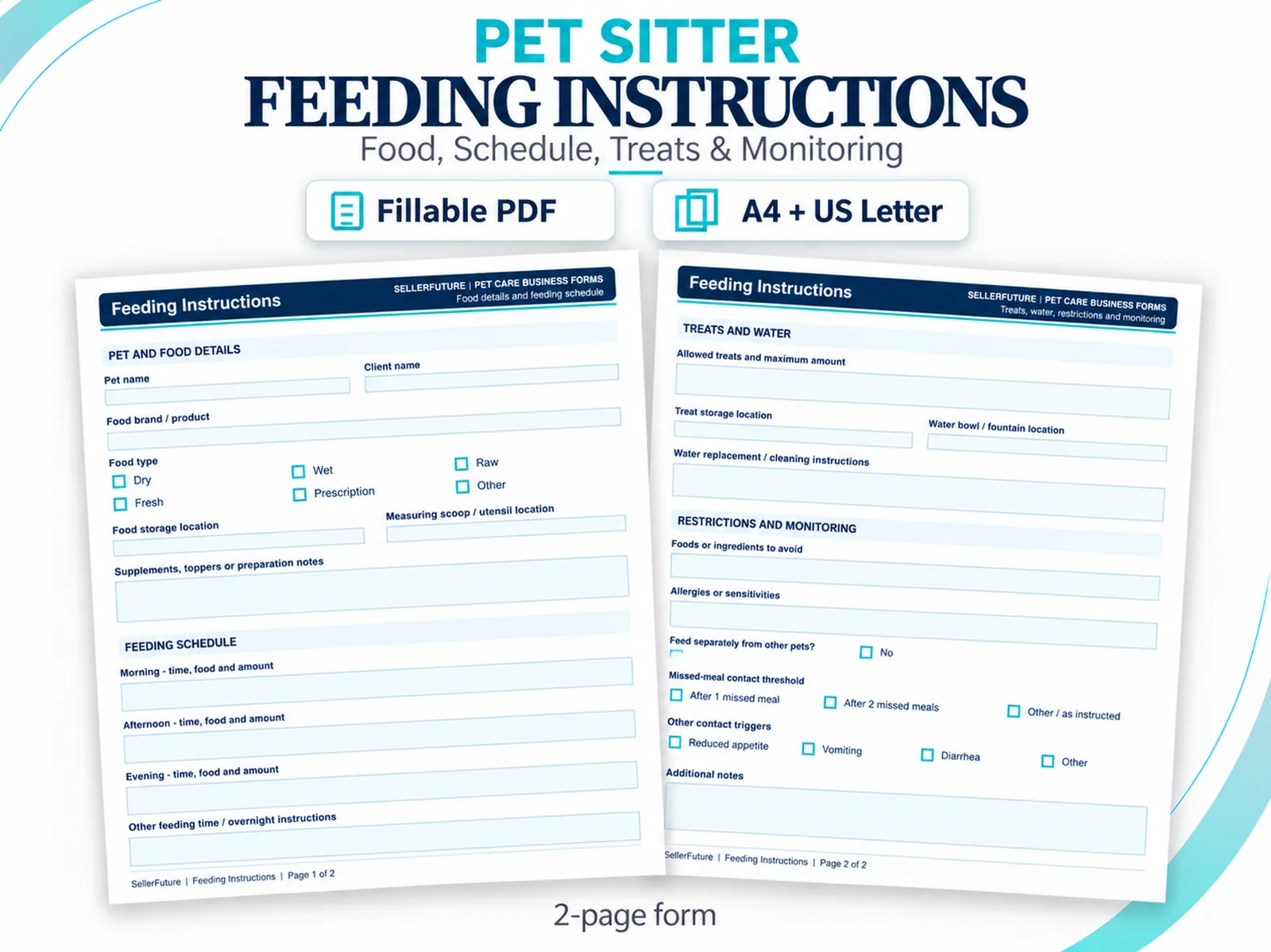
Record food details, feeding times and amounts, treats, water routines, allergies and restrictions, missed-meal contact thresholds and monitoring notes in one reusable pet-care record.
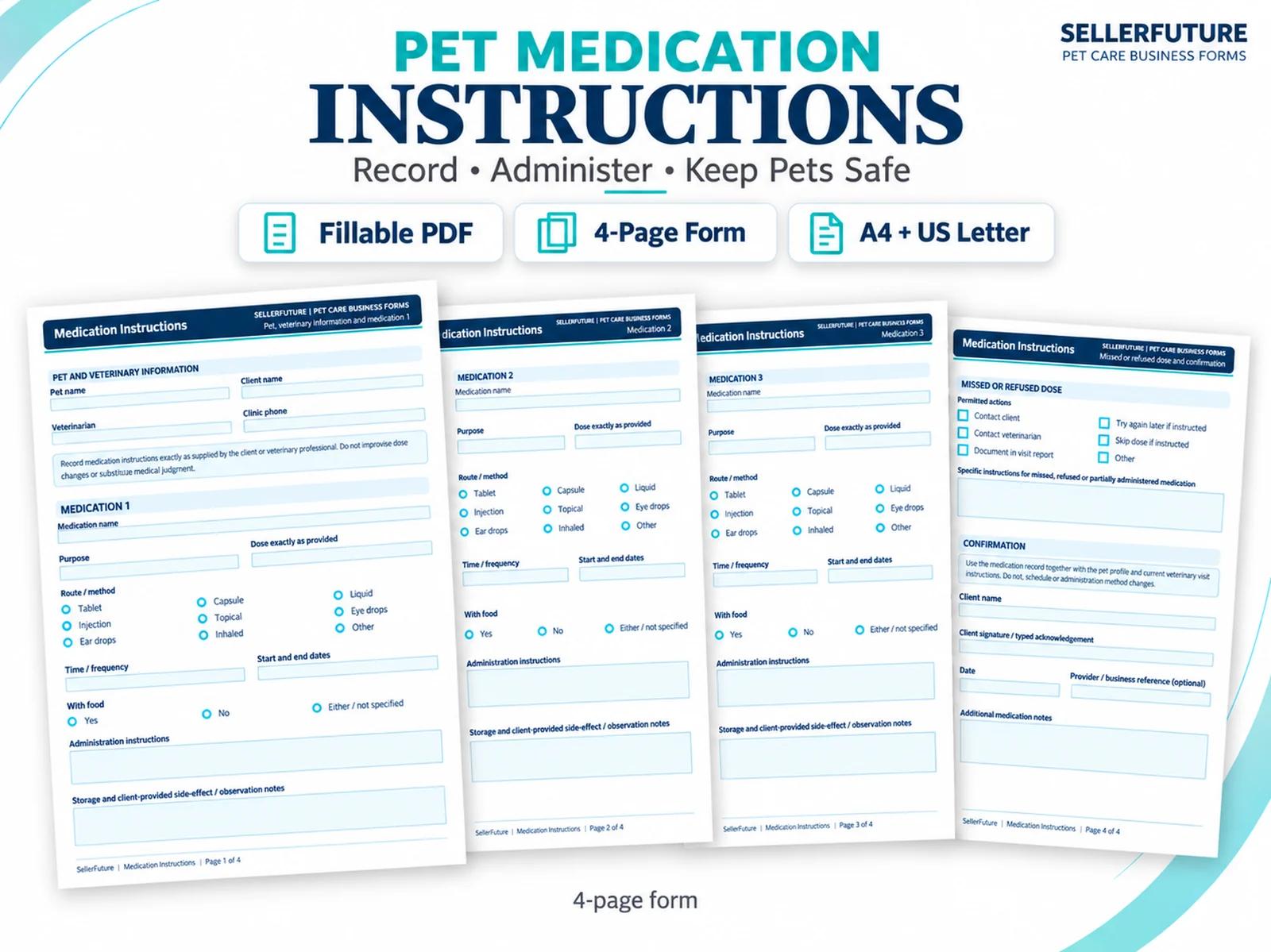
Record client, pet and veterinary information, medication names, supplied dose directions, route or method, timing, food context, storage notes, missed or refused dose instructions and confirmation.
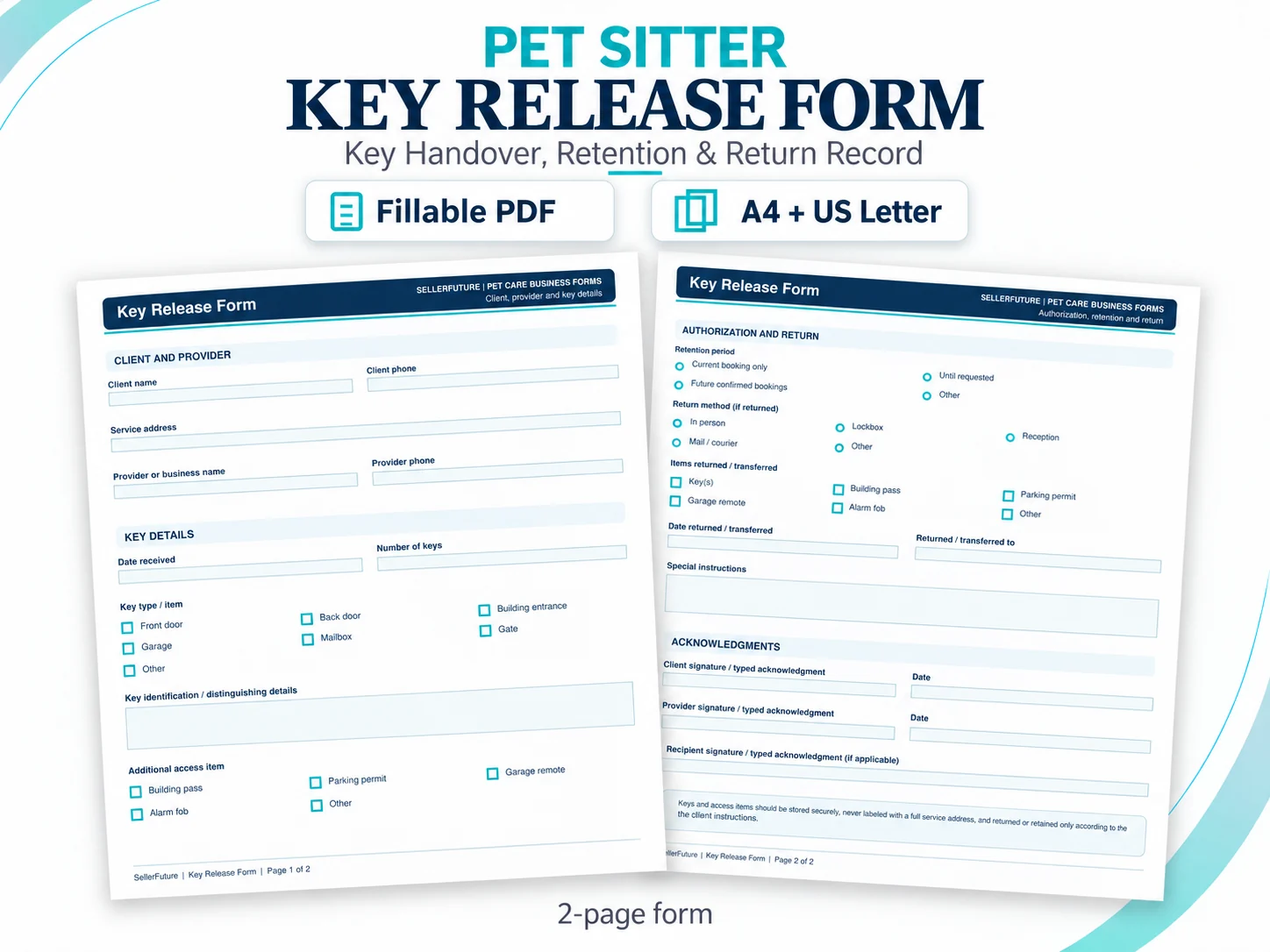
Document key handover, access-item details, retention period, return method, returned items, special instructions and acknowledgments for pet sitting and dog walking services.
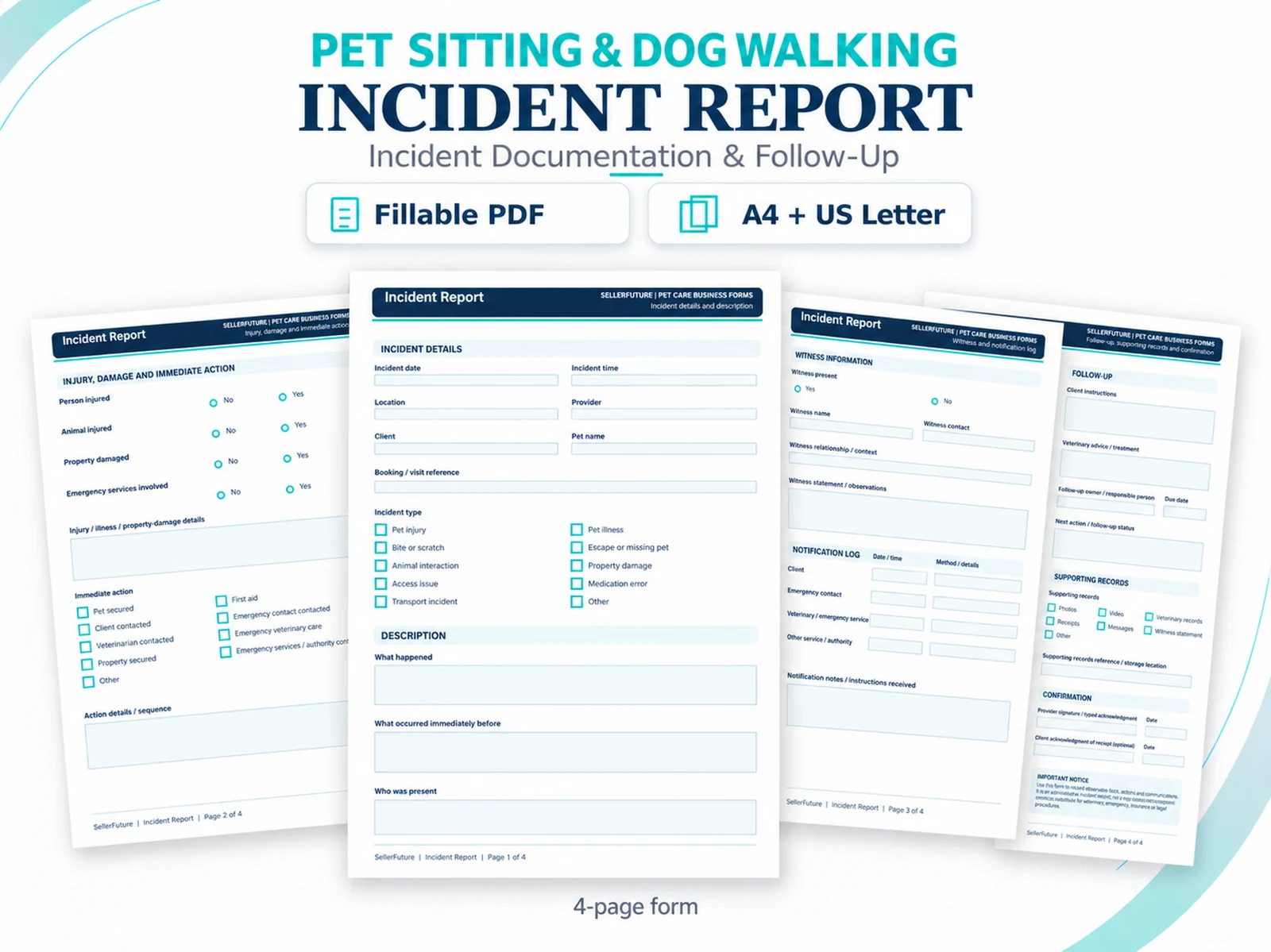
Document incident details, injury or property damage, immediate action, description, witnesses, notification log, follow-up, supporting records and acknowledgment in one structured record.
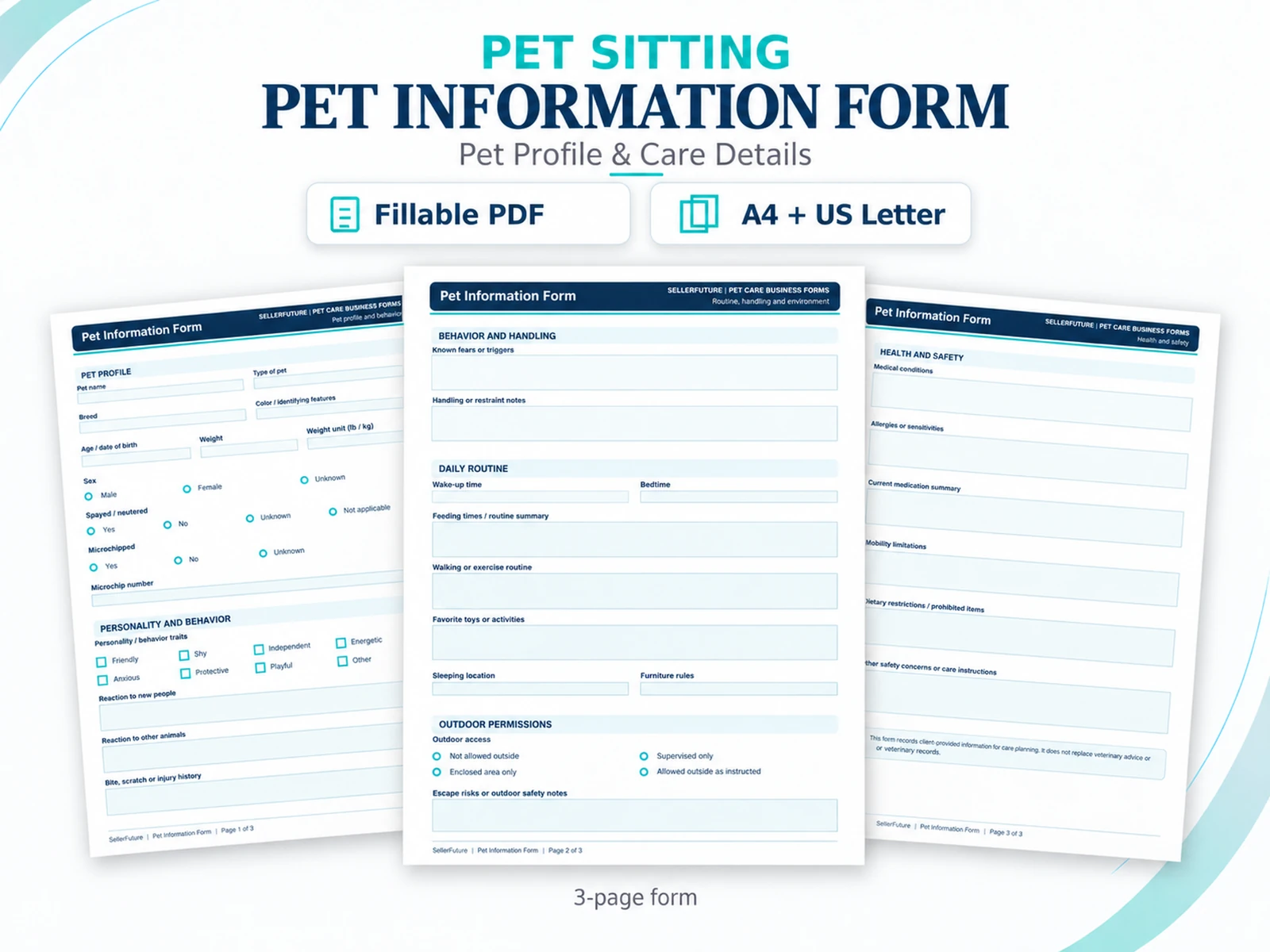
Capture pet profile details, personality and behavior, daily routine, outdoor permissions, handling notes, health and safety information, medication context and care instructions in one reusable record.
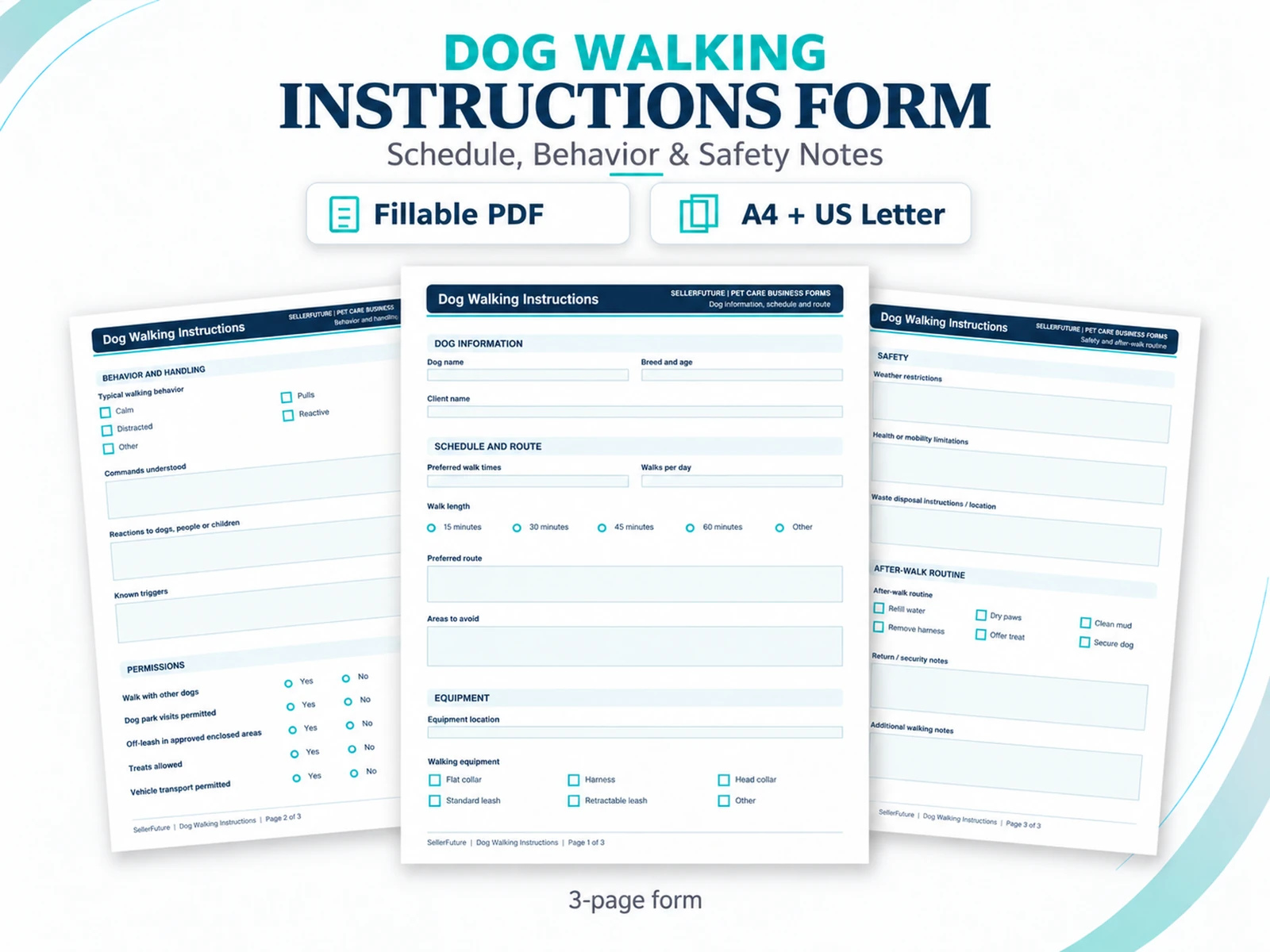
Record schedule and route preferences, behavior and known triggers, walking permissions, equipment, safety constraints, after-walk routine and return notes for repeatable dog-walking delivery.
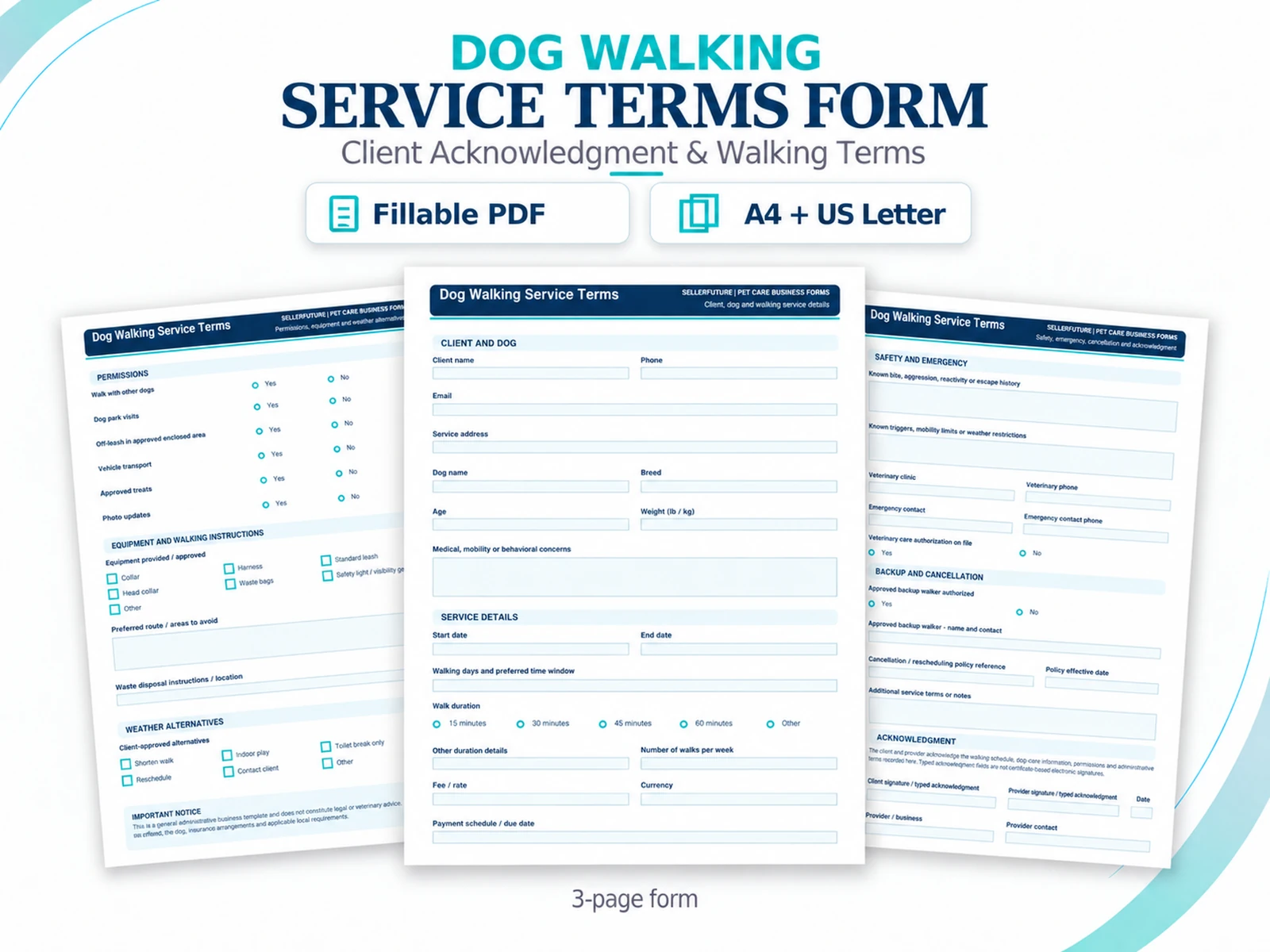
Document client and dog details, walk schedule and fees, permissions, equipment and route instructions, safety and emergency context, backup/cancellation references and client/provider acknowledgment.
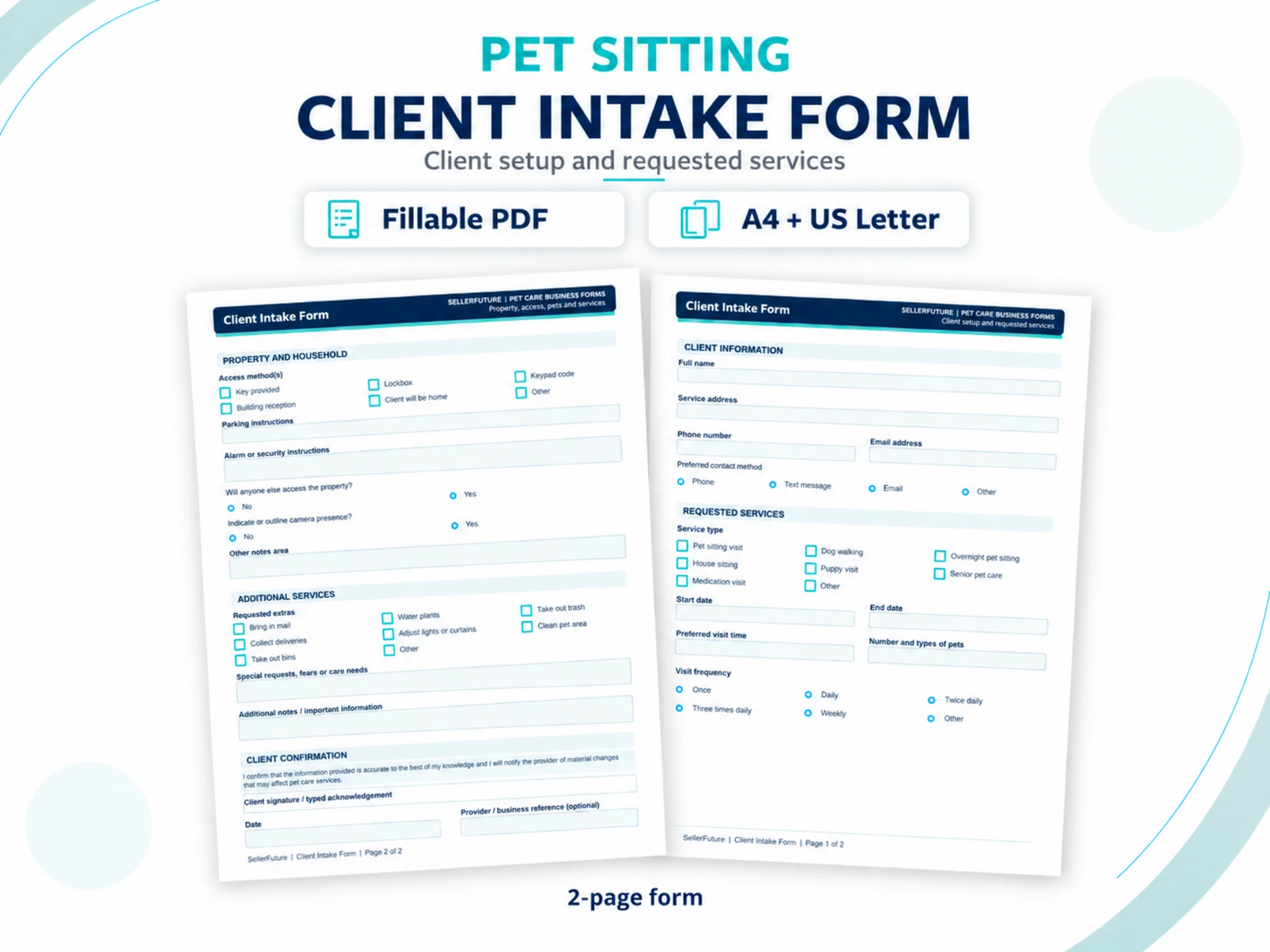
Capture client contact details, requested services, dates and frequency, home access, security context, additional services and confirmation before service begins.
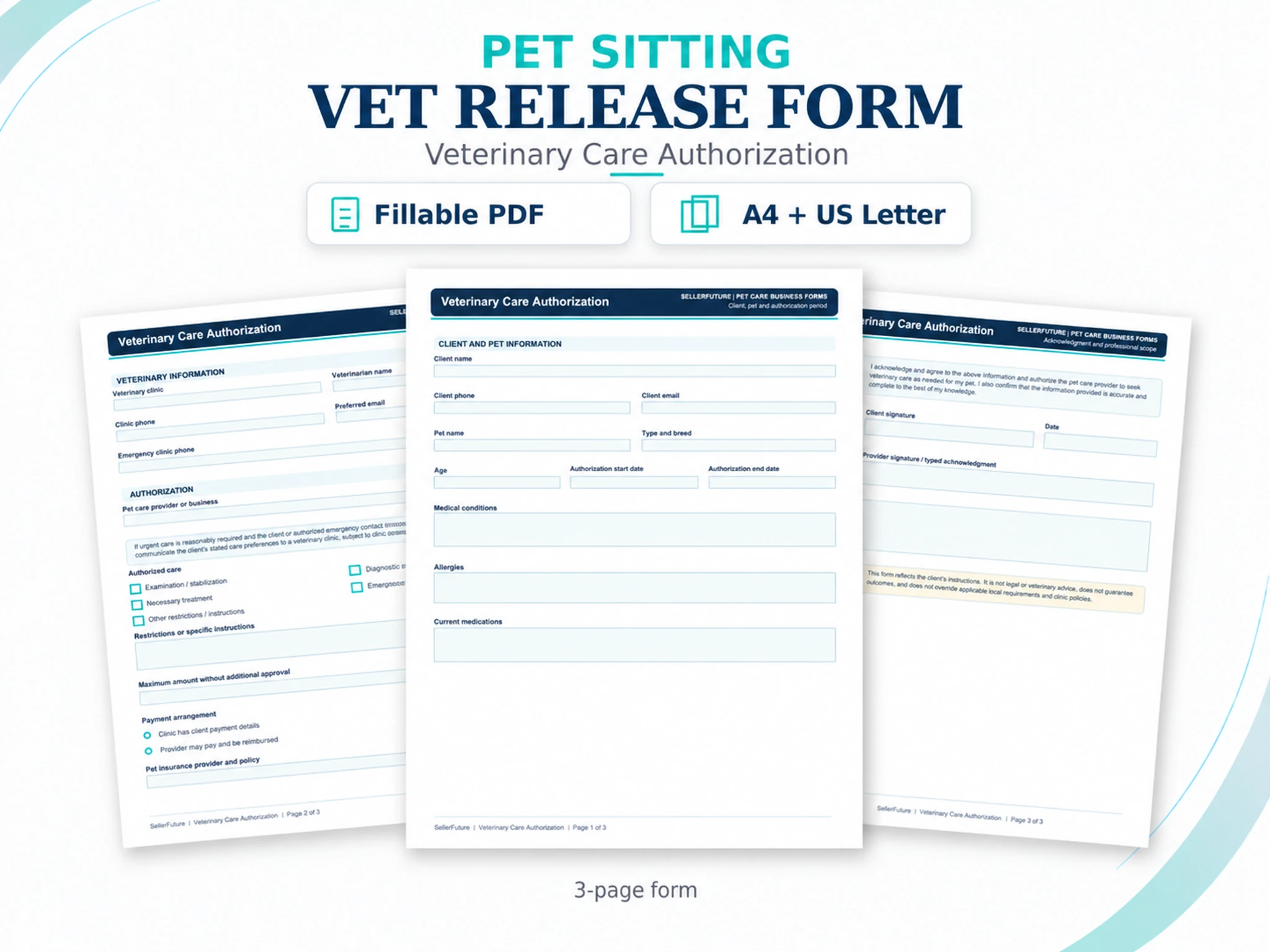
Record client and pet details, veterinary contacts, care authorization, stated restrictions, spending limits, payment arrangements and acknowledgment in one reusable form.
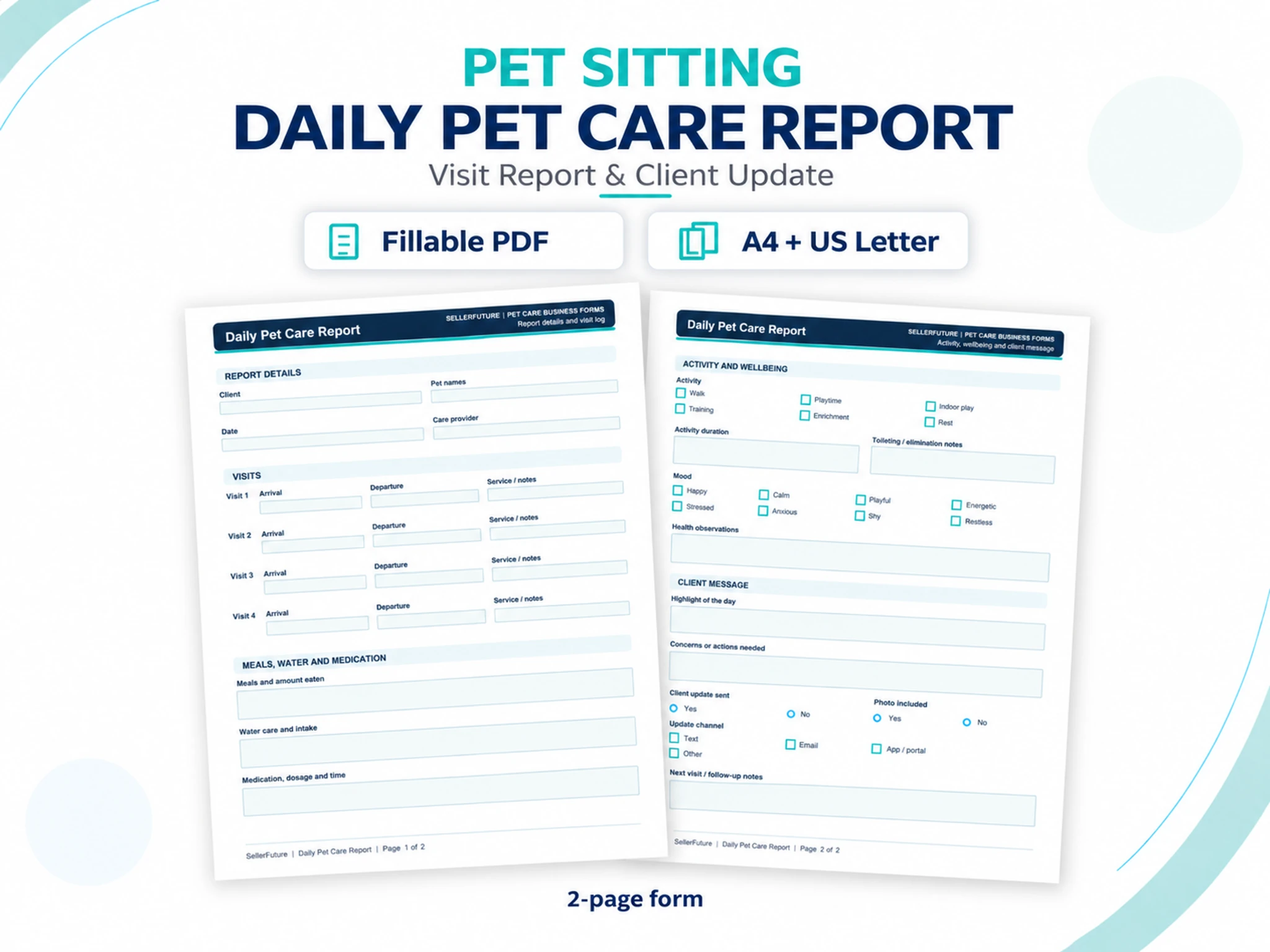
Document visit timing, meals, water, medication, activity, toileting, mood, health observations, client updates and follow-up notes in one reusable report.
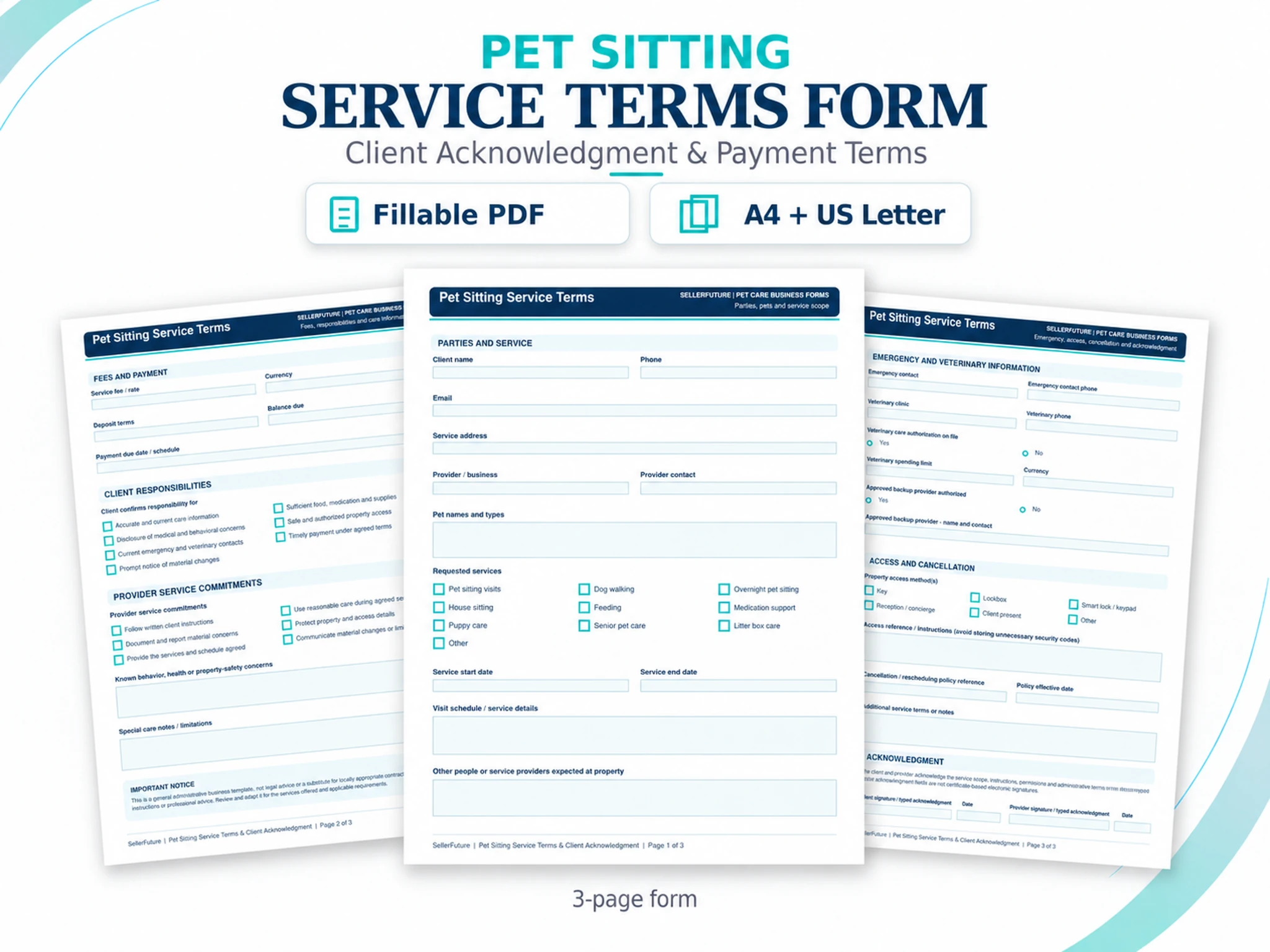
Capture parties and service details, requested services, dates, fees and payment terms, responsibilities, emergency information, access/cancellation references and acknowledgment.
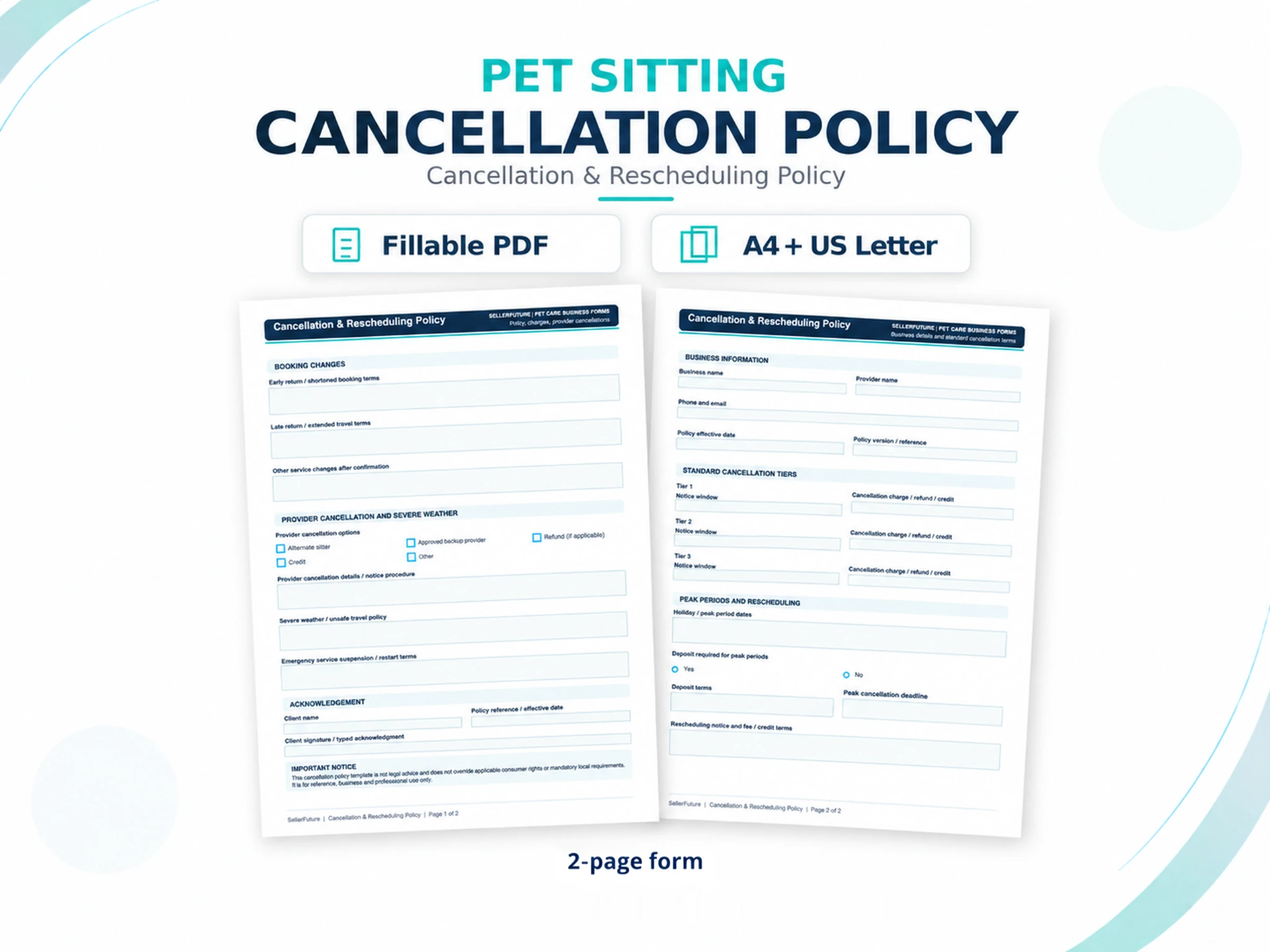
Document cancellation tiers, peak-period terms, rescheduling, booking changes, provider cancellation, severe-weather handling and client acknowledgment.
The three focused bundles group related onboarding, visit/care and dog-walking records. The complete bundle is the broader-value route when the documentation layer spans several workflows.
FOCUSED FORM BUNDLES · NEW
Choose a focused workflow bundle for onboarding, visit & care, or dog walking. Each sits between a single form and the complete 24-form documentation bundle.
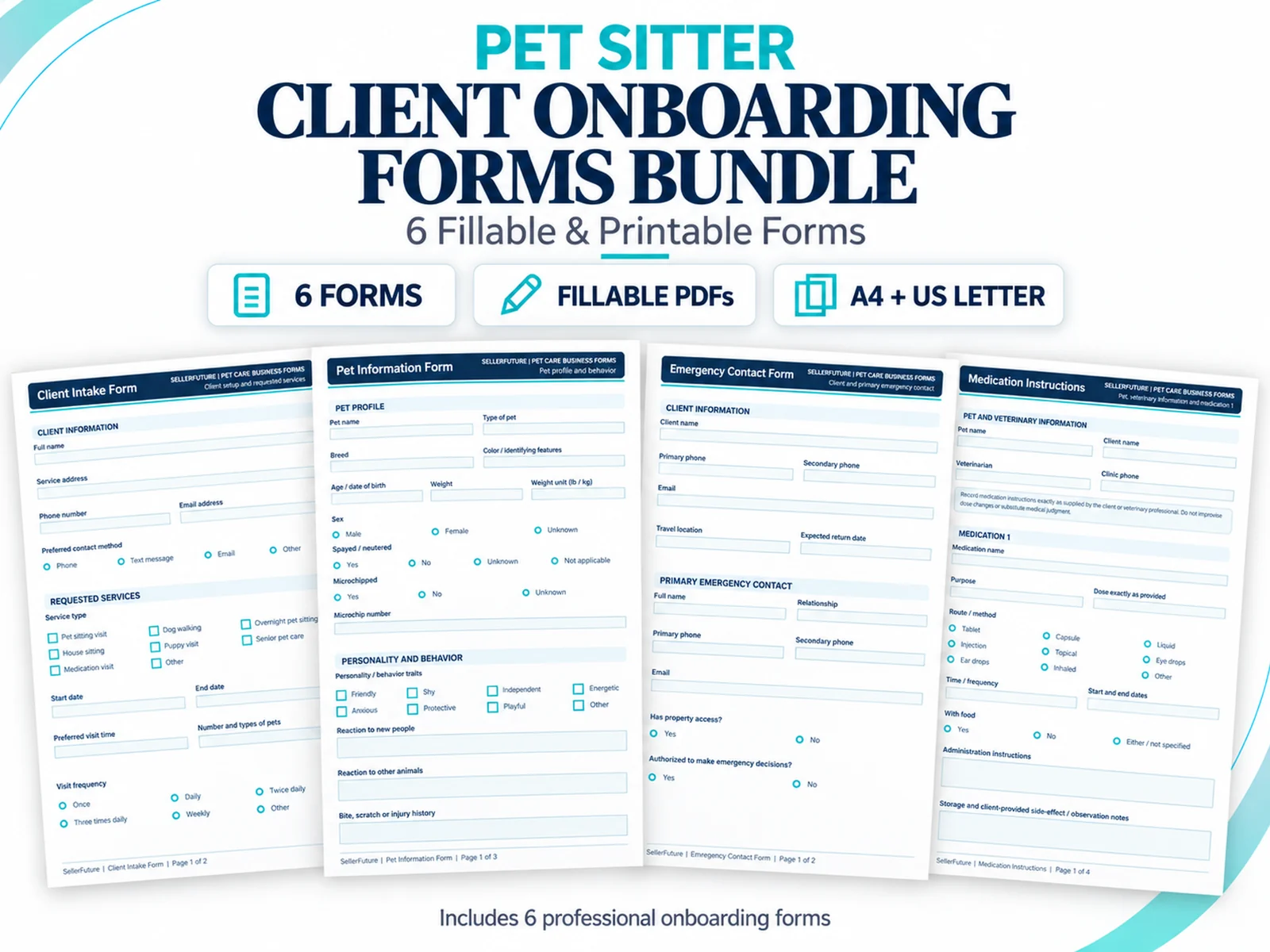
Build the client and pet record before the first service starts.
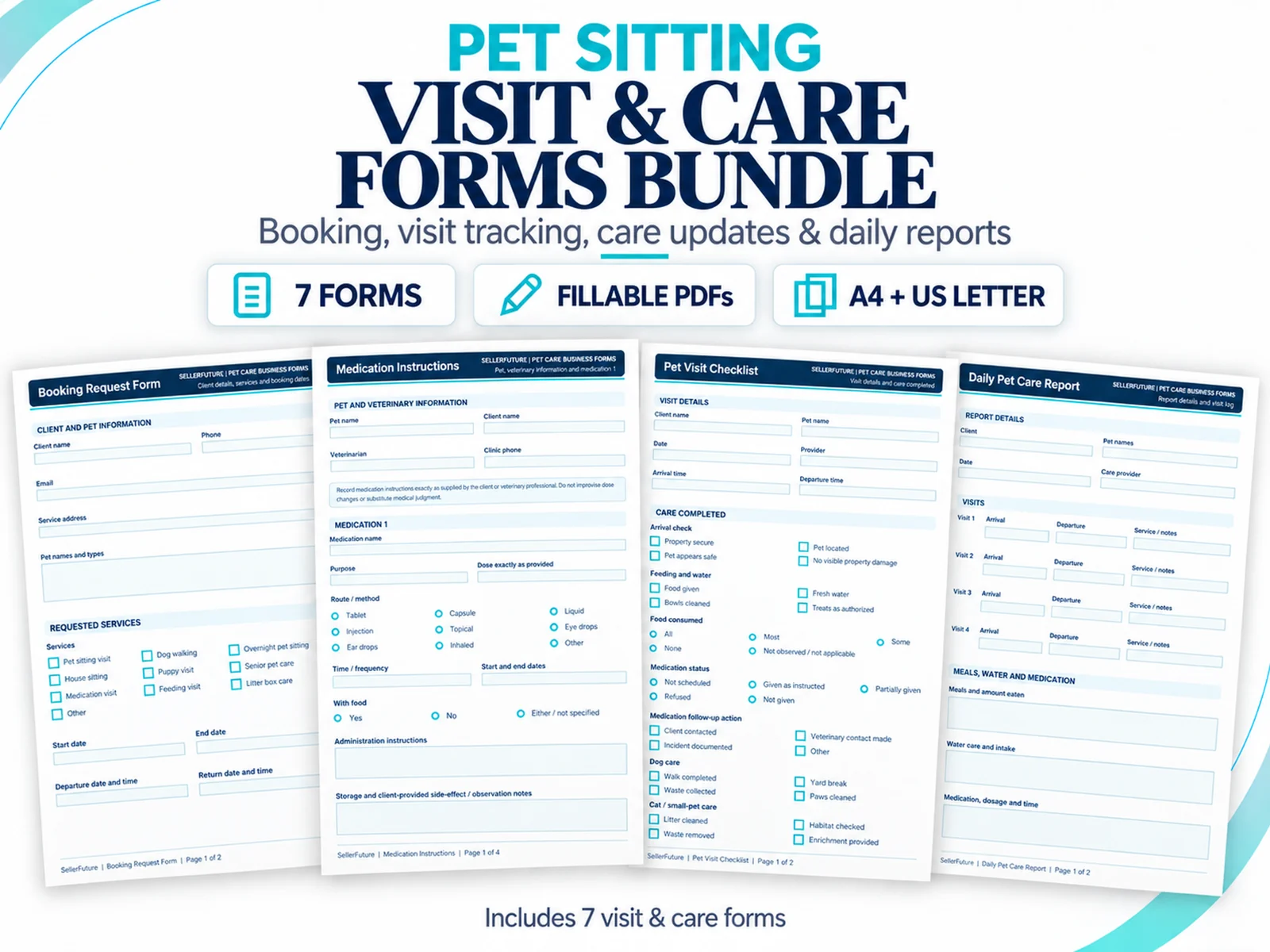
Document the booking, care routine, visit and client update in one focused bundle.
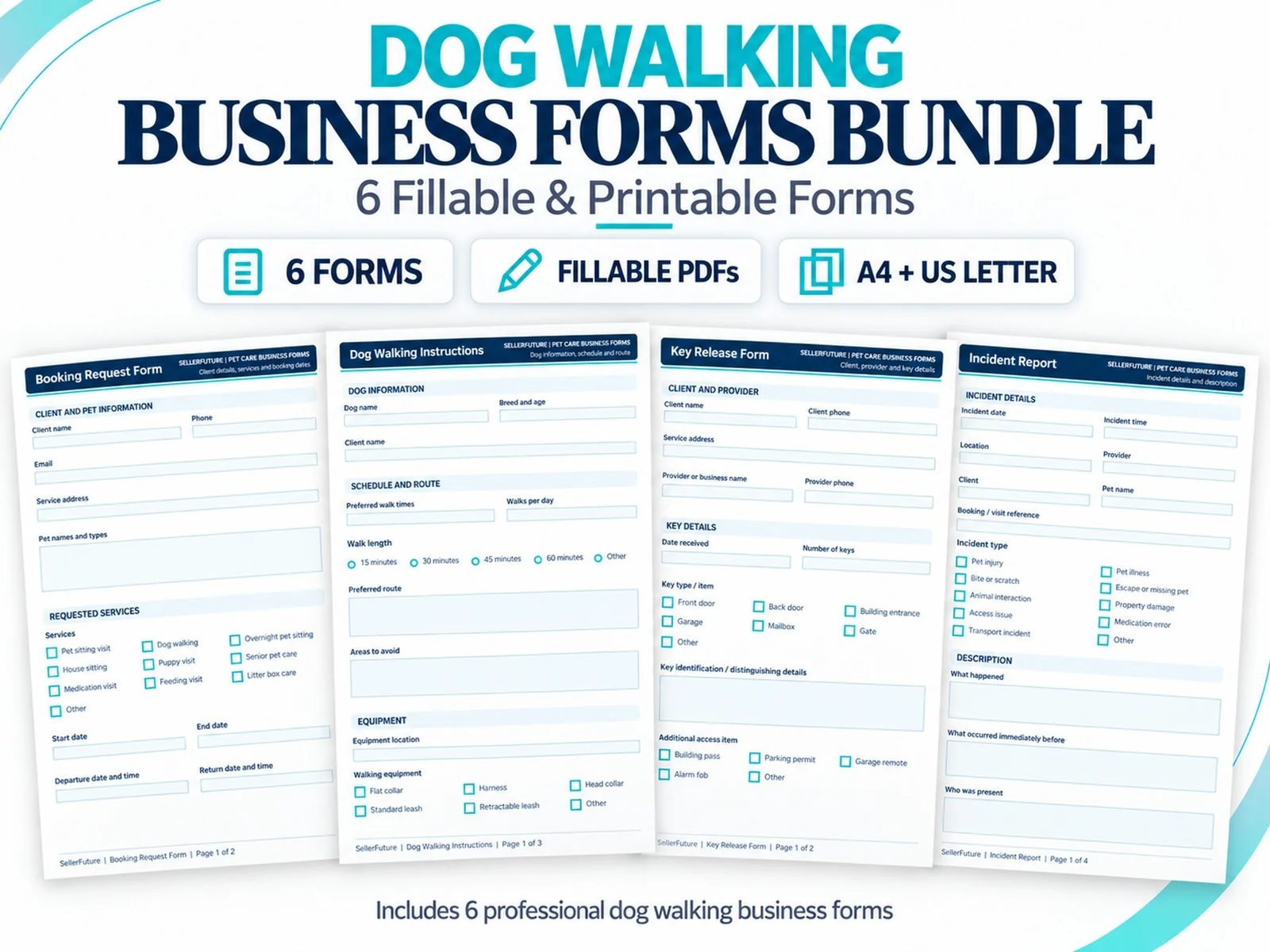
Keep booking, access, walking instructions, service terms and incident records together.
The complete bundle covers client, pet, booking, visit, communication, incident, money, log and scheduling records in A4 + US Letter.
PLAN THE DOCUMENTATION WORKFLOW
Use focused workflow guides to decide which record solves the immediate operating need, then move to the complete bundle only when the documentation layer expands.
Decide what belongs in the client record, what belongs in separate pet/emergency records and how updates stay current.
Read the intake guide →Separate stable pet profile data from booking-specific feeding, medication and care instructions so sitters can verify the current routine before service.
Read the care-instructions guide →Structure key receipt, retention, return and acknowledgment without burying access details inside unrelated client notes.
Read the key-handover guide →Document what happened, immediate action, witnesses, notifications, supporting records and follow-up in a consistent sequence.
Read the incident guide →Map client/pet foundation, booking and visit operations, communication, incidents, money and scheduling.
Read the forms guide →Separate intake, access, walking instructions, visit records, incidents and routine administration.
Read the dog-walking guide →OFFICIAL PRODUCT PROOF
These are the official SellerFuture listing visuals for the live product — not generic stock mockups.


FILL · PRINT · REUSE
The toolkit is deliberately simpler than an operating spreadsheet: open the form you need, complete it digitally or on paper, save the business record and reuse the blank template next time.
Create consistent client, pet, emergency and veterinary information records.
Capture feeding, medication, walking and home-access instructions in a repeatable format.
Document booking requests, visit checklists and daily care reports.
Use structured terms, cancellation acknowledgments and communication preferences.
Record routine updates and exceptions with a clearer paper trail.
Issue simple invoices/receipts and maintain income, expense, mileage and weekly booking logs.
PRODUCT SCOPE
Choose the Forms Toolkit when you need the complete reusable PDF documentation layer, or a selected individual form when one focused record is enough. SellerFuture’s connected spreadsheet systems remain the operating layer when you need linked records, formulas, dashboards and workbook-based management.
BUYER QUESTIONS
Clear product boundaries protect the buyer and keep the Forms Toolkit positioned as a premium documentation companion.
24 unique form designs. Every form is supplied in A4 and US Letter, creating 48 interactive PDFs total, plus the Start Here guide.
Yes. They contain interactive form fields and can also be printed. For the most predictable fill-and-save behavior, download the files locally and use a current desktop PDF application that supports interactive forms.
No. Invoice, receipt, income, expense and mileage records are manual documents. The toolkit does not perform linked lookups, cloud synchronization or automatic calculations.
No. It is a reusable documentation companion. Use SellerFuture’s spreadsheet systems when you need connected records, formulas, dashboards and workbook-based management.
The toolkit uses interactive PDF form fields. For the most predictable fill-and-save behavior, download the files locally and use a current desktop PDF application that supports standard interactive forms. Browser and mobile PDF viewers can behave differently.
It does not automate bookings, calculate invoice/log totals, synchronize records, create a client portal, replace professional software or provide legal, tax, veterinary or accounting advice. Invoice, receipt, income, expense and mileage records are manual documents that you enter and review yourself. Any policy or terms template should be reviewed for your actual services and jurisdiction before relying on it.
Your included guide points to SellerFuture’s permanent online support page, where compatibility and troubleshooting guidance can be updated without changing the URL printed in your files.
READY TO PUT THE SYSTEM TO WORK?
Shop the live SellerFuture catalog on Etsy, or compare the systems and forms before checkout.