01
Keep client & pet records together
Use dedicated client and pet records for contact details, care context, status and linked operating records.
New specialist pet-care system · Microsoft Excel
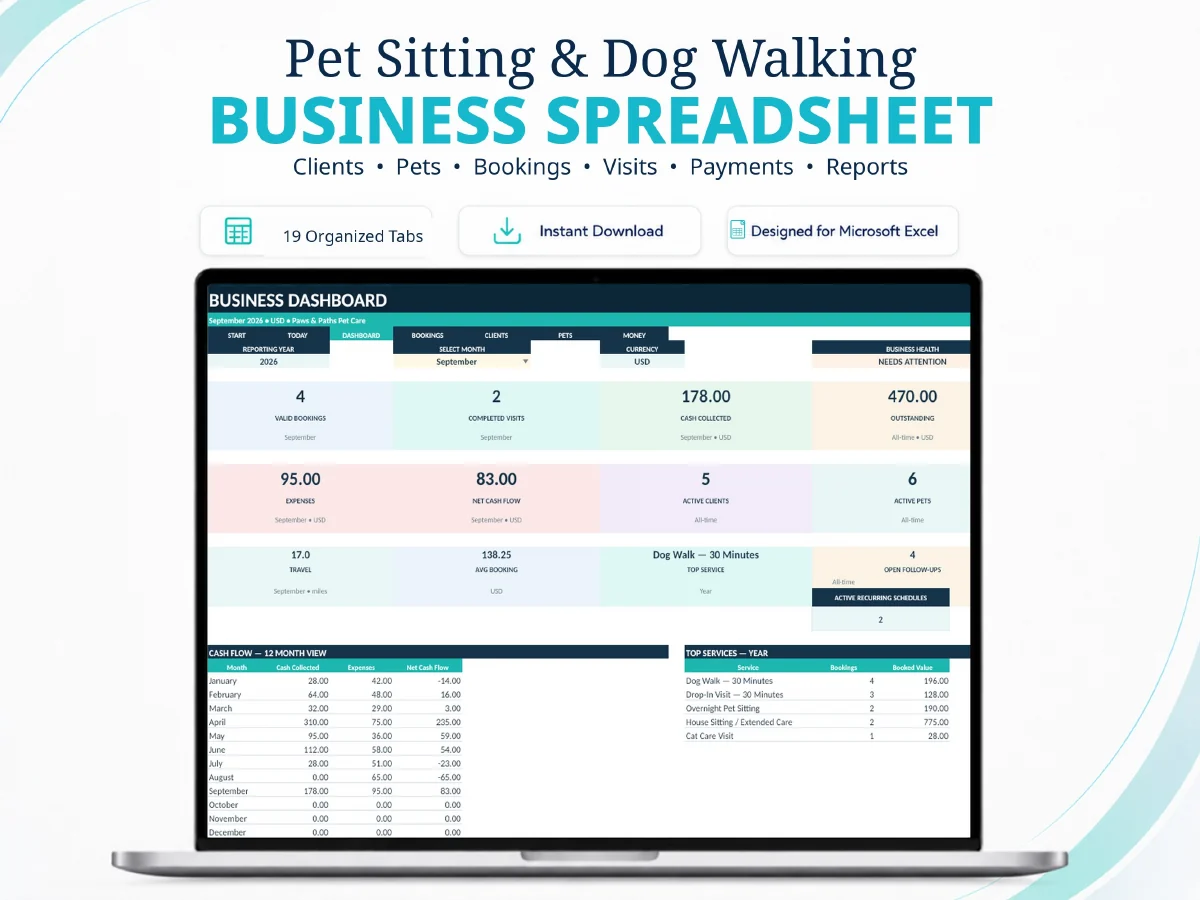
Run clients, pets, pricing, bookings, daily routes, visits, payments and reporting in one connected 19-sheet Microsoft Excel system built specifically around pet sitting and dog walking workflows.
Instant digital download. No physical item. No SaaS subscription. Google Sheets and Apple Numbers compatibility are not claimed for this edition.
A pet sitter can deliver excellent care and still lose control of the operation when client details, pet instructions, bookings, route plans, payments and follow-ups live in separate files. This workbook is designed to keep those records inside one deliberate operating chain.
Use dedicated client and pet records for contact details, care context, status and linked operating records.
Move from confirmed bookings into daily route planning, visit records, payments and follow-up without rebuilding context in disconnected spreadsheets.
Use TODAY, DASHBOARD and REPORTS to review current work, business records and management signals after the underlying data is up to date.
The system is not a collection of unrelated tabs. Each group has a defined place in the operating workflow.
Blank operational workbook for your own business data after setup.
Realistic example records to help you understand how the connected workflow behaves.
Setup, workflow, compatibility, troubleshooting and safe-use guidance.
Full video tutorial plus permanent web documentation at SellerFuture.
The tutorial shows how the workbook is structured and how to move through the operating sequence. The video loads only when you choose to play it.
Both are genuine operating systems. Choose by workflow rather than by worksheet count.
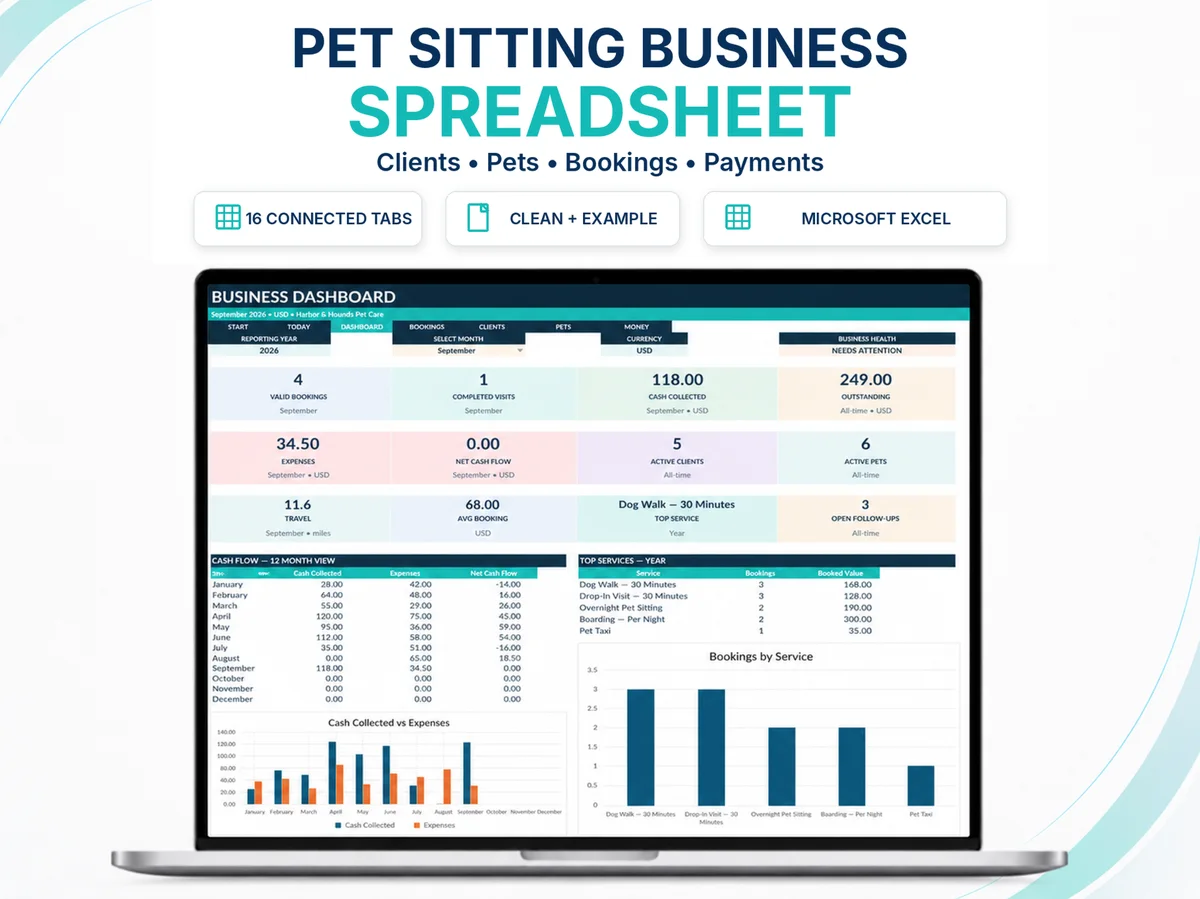
| Need | Pet Sitting & Dog Walking System | Pet Care Business Operating System V5 |
|---|---|---|
| Best fit | Pet sitters, dog walkers and related multi-service operators who want a pet-sitting-specific workflow. | Independent pet-care professionals who want the broader SellerFuture V5 operating chain. |
| Worksheets | 19 specialist worksheets. | 16 connected worksheets. |
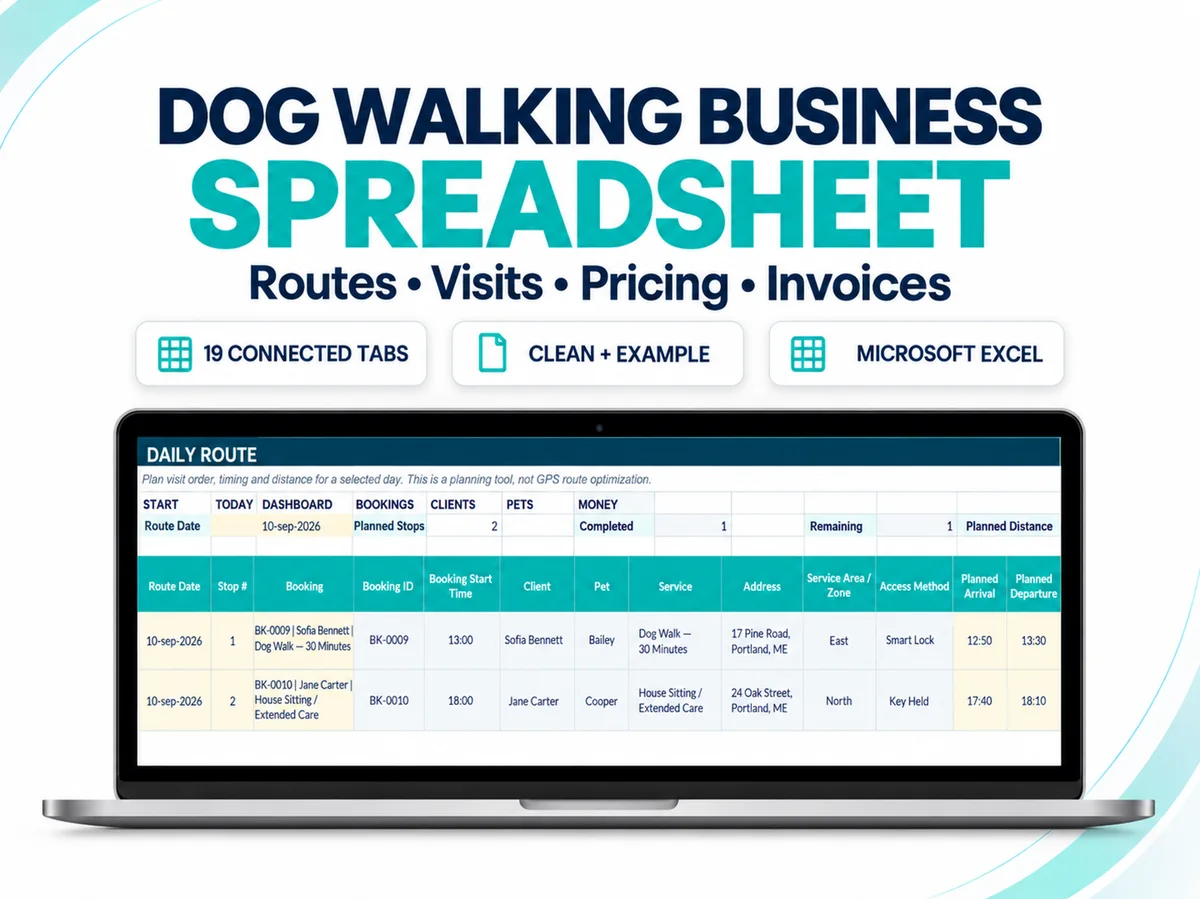
| Specialist additions | Pricing Calculator, Daily Route, Visit Log and booking-linked Invoice. | Broader V5 structure with Service Log and core operating controls. |
| Route planning | Dedicated DAILY ROUTE planning register. | No dedicated Daily Route worksheet in the current V5 product page. |
| Purchase decision | Choose this when pet sitting/dog walking is the operating model you want reflected directly in the workbook. | Choose V5 when you prefer the broader pet-care operating architecture. |
Designed for Microsoft Excel 2021, Excel 2024 and Microsoft 365 Excel. Google Sheets and Apple Numbers compatibility are not claimed.
DAILY ROUTE helps plan order, timing and distance. It does not optimize routes automatically or replace navigation software.
The workbook does not provide legal, accounting, tax, veterinary or financial advice and does not guarantee business results.
This edition is designed for Microsoft Excel 2021, Excel 2024 or Microsoft 365 Excel. Google Sheets and Apple Numbers compatibility are not claimed.
Yes. The product includes a CLEAN workbook for your own records and an EXAMPLE workbook with realistic sample data for learning the workflow.
No. RECURRING SCHEDULES is a planning register. Confirmed operational bookings are created separately in BOOKINGS.
No. DAILY ROUTE is a planning register for visit order, timing and distance; it is not GPS optimization.
No. It is a business-planning tool that uses your own assumptions to compare break-even, target-price and related pricing signals. It is not accounting, tax or financial advice.
Use the permanent product documentation for setup and troubleshooting. For an Etsy order-specific problem, use Etsy Messages from the purchase/order context.
19 connected worksheets, CLEAN + EXAMPLE, a 21-page guide, full tutorial and permanent SellerFuture support.
The Dog Walking & Pet Sitting Forms Bundle: 24 Fillable Pet Care Business Templates adds 24 unique fillable forms in A4 and US Letter. It complements the Excel operating system; it does not replace the connected workbook workflow.