
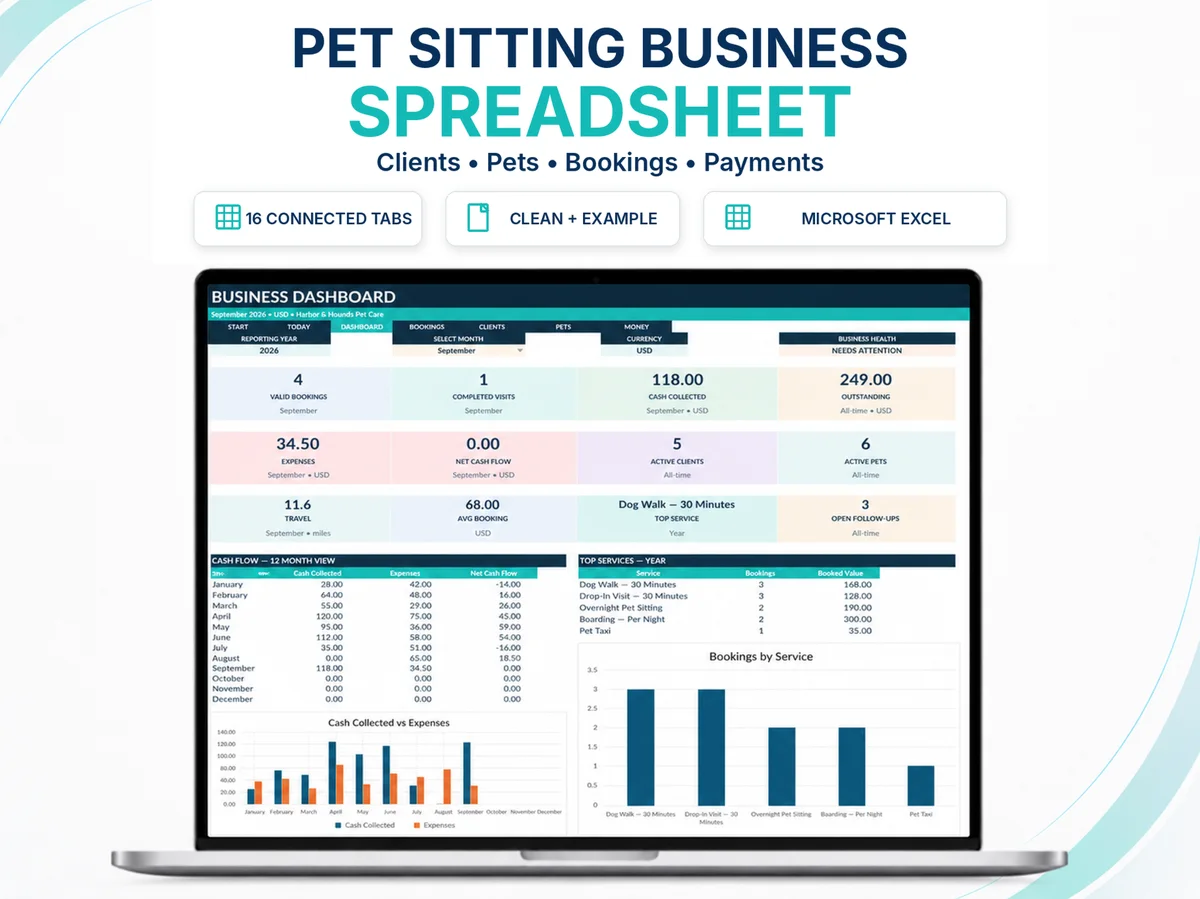
Need the operating spreadsheet instead of another checklist?
Move from the planning idea in this article into a connected Excel workflow for clients, pets, bookings, payments and management records.
Choosing between Excel, Google Sheets and dedicated pet-care software is not really a spreadsheet question. It is an operating-model question. The best tool is the one that can support the way work is actually sold, scheduled, delivered, shared and reviewed without creating more control problems than it solves.
Platform-comparison context: Microsoft Support, Google Docs Editors Help and Time To Pet. Use the first-party source to verify current external guidance where it affects a decision.
A solo operator with a manageable client base can need very different infrastructure from a growing team that assigns visits across several sitters, sends automated client communications and needs a client-facing portal. Likewise, a browser-native collaborative sheet can be attractive for shared access, but that does not make every Excel workbook automatically compatible with Google Sheets.
Start with the operating decision, not the brand name
Before comparing products, write down what the business actually needs to control. Typical questions include: How many people edit the system? Do clients need their own portal? Must visits be assigned to staff? Are automated reminders important? Does the owner need a highly customized management model? How often is the system used offline? Which records must be visible together for pricing, route, cash and capacity decisions?
Those questions separate three broad operating layers. A spreadsheet is a flexible management environment. A browser-native spreadsheet emphasizes web access and collaboration. Dedicated pet-care software is designed around pet-care workflows and may provide client, staff, scheduling, communication, invoicing or portal functions that a spreadsheet does not attempt to reproduce.
When Excel is a strong fit
Excel can be a strong operating layer when one owner or a small operation wants structured records, formulas, dashboards, scenario models and a high degree of control over how information is organized. It is especially useful when the owner wants the management model itself to remain visible rather than hidden behind a software workflow.
Microsoft 365 also supports co-authoring when files are stored and shared through supported Microsoft cloud services. That means “Excel” does not automatically mean a single-user local file. The practical question is how the workbook is stored, which Excel versions are being used, and whether the workbook design itself is appropriate for shared editing.
- Strongest when: the operation is owner-led, the workflow is understandable, customization matters and the spreadsheet remains easy to control.
- Watch for: structural edits, inconsistent copies, unclear file ownership, growing staff permissions needs and processes that now require client-facing automation.
- Do not assume: an XLSX file will behave identically in every spreadsheet application.
When Google Sheets is a strong fit
Google Sheets is browser-native and built around shared access. Google documents real-time collaboration, comments, version history and filter views as core collaborative workflows. For a team that values simple browser access and shared editing, that model can be compelling.
But platform convenience is different from workbook compatibility. Formulas, validation behavior, dropdowns, filters, print layouts, conditional formatting and dashboard behavior can differ between spreadsheet platforms. A workbook should be tested natively in Google Sheets before anyone claims that a Google Sheets edition is supported.
- Strongest when: shared browser access and collaboration are central requirements.
- Watch for: imported workbook behavior, print layouts, feature differences and uncontrolled simultaneous edits.
- Do not assume: successful file import equals full functional equivalence.
When dedicated pet-care software becomes the better operating layer
Dedicated pet-care platforms are built around the service workflow rather than around cells. Capabilities vary by vendor and plan, but the category can include scheduling, client records, staff access, service assignment, communications, invoices/payments and client-facing portals or apps.
That matters when the business problem is no longer “How should I structure the records?” but “How do multiple people execute the same live schedule with controlled permissions and client communication?” At that point, forcing a spreadsheet to imitate a multi-user service platform can create more work than it saves.
The trade-off is that dedicated software usually imposes its own workflow and subscription model. Before switching, compare the operating gain with migration effort, recurring cost, training, data export options and the management information you still need outside the platform.
Compare the operating trade-offs
| Decision area | Excel | Google Sheets | Dedicated pet-care software |
|---|---|---|---|
| Management-model flexibility | High when the workbook is intentionally designed. | High, with browser-native collaboration. | Usually shaped by the platform workflow. |
| Shared editing | Available in supported Microsoft 365 co-authoring setups. | Core browser-native collaboration model. | Typically multi-user, with vendor-specific permissions. |
| Client portal / app | Not a normal spreadsheet function. | Not a normal spreadsheet function. | Common category capability; verify by vendor/plan. |
| Staff assignment / dispatch | Can be modeled, but remains a spreadsheet workflow. | Can be modeled, but remains a spreadsheet workflow. | Often a core service-software workflow. |
| Automation | Possible, but depends on workbook design and supported Excel features. | Possible, but depends on sheet design and Google platform features. | Often built into defined platform workflows. |
| Offline/local control | Strong desktop/local-file option. | Primarily cloud/browser oriented; offline options depend on setup. | Vendor-specific. |
| Subscription dependence | Depends on the Microsoft environment being used. | Depends on Google account/workspace needs. | Usually recurring SaaS pricing. |
The table is intentionally qualitative. There is no universal winner because the decision changes with team size, service complexity, collaboration needs and how much workflow automation the business actually benefits from.
Know when the tool is becoming the constraint
A spreadsheet can remain useful for years if the operation remains controlled. The warning signs are operational, not chronological.
- Multiple people repeatedly overwrite, duplicate or conflict with one another’s work.
- Staff need different permission levels or only the subset of clients assigned to them.
- Clients increasingly expect self-service booking, portal access or automated status communication.
- The owner spends significant time converting spreadsheet decisions into separate messages, invoices or staff instructions.
- Schedule changes create too much manual rework across several people.
- The spreadsheet has become so customized that only one person understands how to repair it.
Those signals do not prove that one named software platform is the answer. They indicate that the current operating layer deserves a deliberate review.
SellerFuture format status: Excel now, Google Sheets in development
The current SellerFuture Pet Care Business Operating System is positioned for Microsoft Excel 365. A separate Google Sheets edition is in development and is not included with the Excel release. SellerFuture will not describe Google Sheets as supported until formulas, validations, dropdowns, filters, printing and dashboards have been tested natively.
A combined Excel + Google Sheets bundle is planned only after both editions exist and the included scope can be stated precisely. This keeps the commercial promise aligned with the files that have actually been tested.
Use a five-question decision framework
- How many people need to edit or act on the system? One owner, a small collaborative team or a larger staff structure?
- Which workflows must be client-facing? None, occasional communication, or portal/app/self-service functions?
- What must be automated? Separate “nice to have” automation from work that is becoming operationally expensive to do manually.
- How important is custom management modeling? Do you need to redesign the information model frequently, or would a fixed service workflow be preferable?
- What is the migration threshold? Define the condition that would justify switching rather than waiting until the current system is already failing.
Turn the decision into a working next step.
Sources used for verification and context
Where a recommendation depends on a current industry standard, platform capability or external business guidance, use the linked first-party source to verify the current position.
This article provides business-management education. Legal, tax, accounting, veterinary, insurance and regulatory requirements vary by jurisdiction and situation; verify current requirements with appropriate sources or qualified professionals.
Continue with
Pet Sitting Business Spreadsheet vs Software: Which Fits Your Stage?
A practical comparison of pet-sitting spreadsheets and dedicated pet-care software, including the point where a workbook stops being the right tool.
PET CARE OPERATIONSHow to Organize a Pet Sitting Business: Build the System Around the Care
A practical framework for organizing pet-sitting clients, pets, services, bookings, payments, visits and follow-ups without relying on memory.
BUSINESS CONTROLPet Sitting Business KPIs: The Numbers Worth Reviewing
A practical KPI framework for pet-sitting businesses covering cash, service economics, capacity, travel, repeat demand and management triggers.