
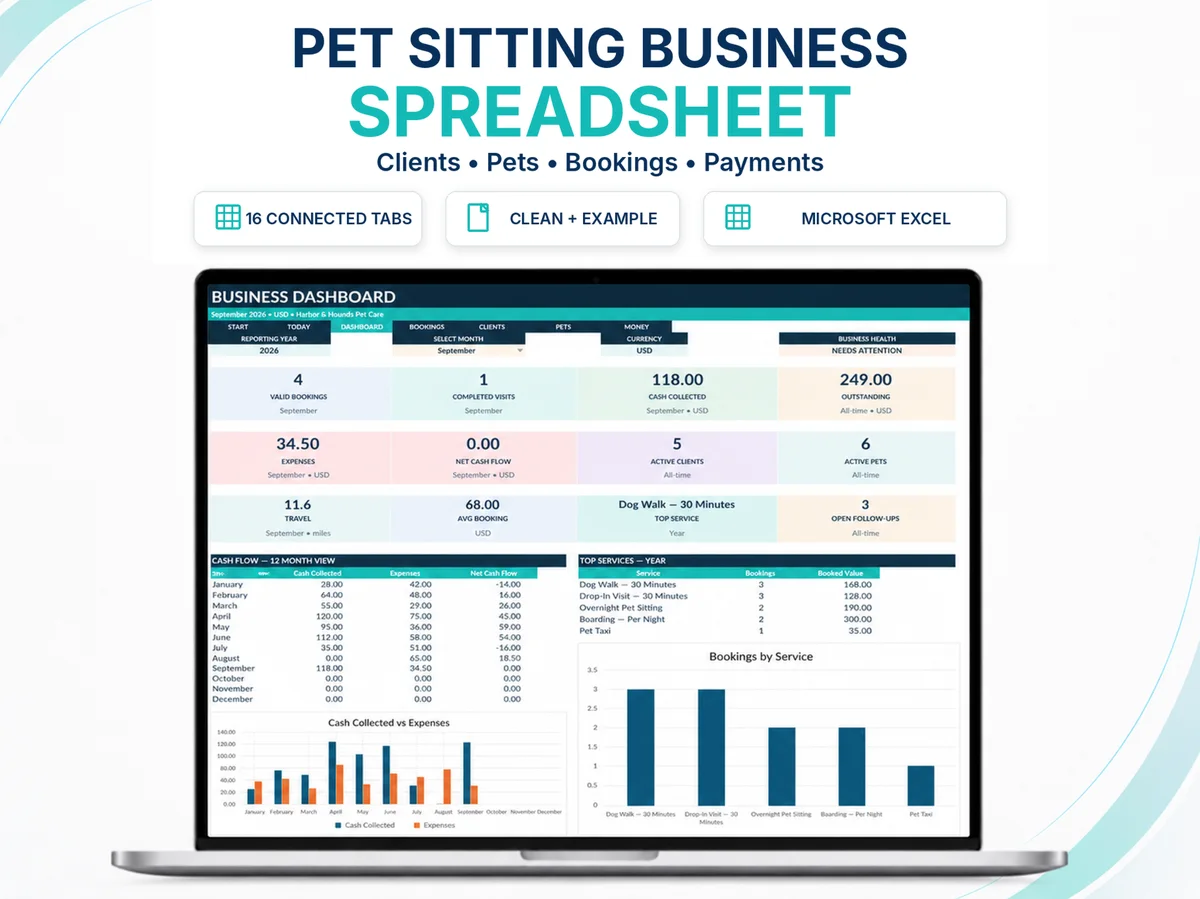
Need the operating spreadsheet instead of another checklist?
Move from the planning idea in this article into a connected Excel workflow for clients, pets, bookings, payments and management records.
A spreadsheet and dedicated pet-care software solve overlapping problems, but they are not the same product. The right choice depends less on which tool has the longest feature list and more on the operating complexity of the business using it.
Dedicated-software feature context: Time To Pet — Software Made for Pet Care Pros. Use the first-party source to verify current external guidance where it affects a decision.
For a solo operator or small owner-managed business, a well-designed spreadsheet can provide transparent control over clients, pets, services, prices, bookings, payments, expenses and review. As staffing, client portals, live assignments, automated communications and integrated payments become essential, dedicated software usually becomes more valuable.
Start by asking what job the system must perform
“Spreadsheet or software?” is too broad. Break the decision into operating jobs: recordkeeping, scheduling, client communication, invoicing/payment, staff coordination, service evidence, route management, analytics and management review.
A spreadsheet can be excellent at transparent records, calculations, owner-level planning and management analysis. Dedicated pet-care software can be excellent at multi-user workflows, client-facing requests, real-time assignment, automated notifications and connected payment infrastructure.
When a structured spreadsheet is a strong fit
- The owner is the primary operator and decision-maker.
- Client, pet, booking and payment volumes remain manageable in a structured workbook.
- The business wants to see and understand its own records and formulas.
- A client portal, staff mobile app or GPS visit verification is not a core requirement.
- The owner prefers a one-time administrative tool to another recurring software subscription.
- Most updates are made by one person or by a very small controlled team rather than many simultaneous users.
A spreadsheet is especially useful when the management problem is not “I need a client app,” but “I need one connected place to stop retyping and losing the current state of the business.”
Its transparency is also valuable for pricing, capacity and review. The owner can see the input, calculation and output instead of depending on a black-box metric.
When dedicated pet-care software becomes stronger
Dedicated platforms such as Time To Pet are designed around pet-care workflows at a level a workbook should not pretend to reproduce. The value becomes clearer when many people or client-facing events must stay synchronized.
- Multiple providers need live schedules, assignments and permissions.
- Clients need to request services, receive updates or manage information through a portal/app.
- Automated invoicing, card processing, reminders or messaging are operationally important.
- GPS, visit verification or mobile service workflows are required.
- Changes must propagate immediately to several staff members.
- The business needs more robust user permissions, audit history and team coordination.
- The cost of manual coordination has become larger than the software subscription and migration burden.
Software does not become “better” because the company has reached a certain revenue number. The transition should follow complexity and risk.
Compare total operating burden, not only price
| Question | Spreadsheet | Dedicated software |
|---|---|---|
| Setup | Usually faster if workflow is simple; requires disciplined structure. | Can require configuration, migration and training. |
| Recurring cost | Often no product subscription beyond the spreadsheet software already used. | Typically recurring subscription and sometimes payment-related fees. |
| Transparency | High: owner can inspect records and many calculations directly. | Depends on platform; process is shaped by product architecture. |
| Multi-user coordination | Limited compared with a purpose-built system. | Usually a core strength. |
| Client experience | Normally requires separate communication/booking channels. | Often includes portal/app, messaging and request workflows. |
| Automation | Appropriate for formulas, validation and reporting; not a full workflow automation platform. | Often strong for recurring operational events and integrations. |
| Portability | Workbook is directly held by the business; portability depends on file design. | Export quality and migration options vary by provider. |
Add training time, duplicate entry, error risk and maintenance to the comparison. A $10 tool that causes five hours of monthly rework is not a $10 system. A sophisticated platform with unused features can also be expensive if the business is paying and learning for complexity it does not need.
Use transition triggers instead of waiting for a crisis
The best time to move from a workbook to dedicated software is before the workbook becomes the bottleneck. Define triggers that tell you the operating model has changed.
A hybrid model can be legitimate — if ownership is clear
Some businesses use dedicated pet-care software for client-facing scheduling, staff assignment and communication while keeping a separate management workbook for pricing models, capacity analysis or strategic review. That can work well.
The danger is duplicate ownership. If two systems both claim to be the current booking record, discrepancies are inevitable. Define which platform owns each category of information and how any management extracts are updated.
Decision checklist
Choose the simplest system that reliably supports the complexity you actually have. Before changing tools, answer:
- Which five operating problems are we trying to solve?
- Which problems are caused by poor process rather than the current tool?
- Which client-facing or team features are genuinely required?
- What will migration, training and recurring cost add?
- What information must be exported or retained?
- What becomes the source of truth after the change?
- What measurable friction should fall if the new system works?
If you cannot answer the last question, the purchase may be feature shopping rather than system design.
Turn the decision into a working next step.
Sources used for verification and context
Where a recommendation depends on a current industry standard, platform capability or external business guidance, use the linked first-party source to verify the current position.
This article provides business-management education. Legal, tax, accounting, veterinary, insurance and regulatory requirements vary by jurisdiction and situation; verify current requirements with appropriate sources or qualified professionals.
Continue with
How to Organize a Pet Sitting Business: Build the System Around the Care
A practical framework for organizing pet-sitting clients, pets, services, bookings, payments, visits and follow-ups without relying on memory.
BUSINESS CONTROLPet Sitting Business KPIs: The Numbers Worth Reviewing
A practical KPI framework for pet-sitting businesses covering cash, service economics, capacity, travel, repeat demand and management triggers.
MONEY & ADMINPet Sitting Business Expenses: What to Track and Why
A practical framework for recording pet-sitting business expenses, travel and source evidence without confusing management tracking with tax advice.